How to Reduce Image Size Without Losing Quality: The Ultimate Guide
In today’s digital landscape, where website speed directly impacts user experience and search rankings, learning how to reduce image size without sacrificing quality is essential. Large, unoptimized images slow down page loading times, increase bounce rates, and hurt your SEO performance. Fortunately, with the right techniques and tools, you can significantly shrink file sizes while maintaining excellent visual quality.

Understanding Image Compression Basics
Image compression comes in two main forms: lossy and lossless. Lossy compression removes some image data to achieve smaller file sizes, which can affect quality if overdone. Lossless compression reduces file size without discarding any data, preserving the original quality perfectly. For most web applications, a smart combination of both methods yields the best results – significantly smaller files with barely noticeable quality differences.
Choosing the Right File Format
The format you select dramatically impacts both file size and quality:
– JPEG: Ideal for photographs and complex images. Use quality settings between 60-80% for optimal balance.
– PNG: Best for graphics with transparency. Opt for PNG-8 over PNG-24 when possible.
– WebP: Google’s modern format offers 25-35% smaller files than JPEG at equal quality.
For most websites, converting images to WebP format while keeping JPEG fallbacks offers the best combination of small file sizes and broad compatibility.
Effective Compression Techniques
1. Resize Before Uploading – Always scale images to their maximum display dimensions before uploading. There’s no need to upload a 4000px wide image if it will only display at 800px wide.
2. Use Smart Compression Tools – Tools like TinyPNG, ShortPixel, and Squoosh use advanced algorithms to maximize compression while minimizing quality loss. Many offer both online and plugin versions for convenience.
3. Optimize Image Metadata – Remove unnecessary EXIF data (camera information, location data) that bloats file sizes without adding value.
4. Implement Responsive Images – Use the srcset attribute to serve appropriately sized images based on the user’s device, preventing mobile users from downloading desktop-sized images.
Advanced Optimization Strategies
For those seeking maximum optimization:
– Progressive JPEG load in stages, improving perceived performance
– Conditional Loading only loads images when they’re about to enter the viewport
– CDN Optimization automatically serves optimized versions based on device and connection
Recommended Tools for Quality Preservation
Several excellent tools maintain quality while reducing size:
1. Adobe Photoshop: Use “Save for Web” with careful quality adjustments
2. Affinity Photo: Offers excellent export options with preview capabilities
3. Command-line Tools: Like ImageMagick for batch processing
4. WordPress Plugins: Such as Smush or Imagify for automated optimization
Testing Your Results
After compressing images, always:
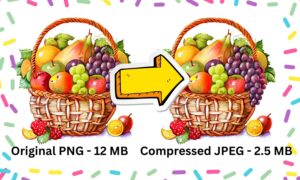
– Visually compare original and compressed versions
– Check file size reductions
– Verify loading time improvements using PageSpeed Insights
The Impact on SEO
Properly optimized images contribute to:
✔ Faster page load times (critical for Core Web Vitals)
✔ Improved mobile performance
✔ Better user engagement metrics
✔ Higher search rankings
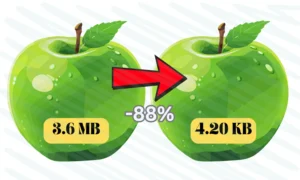
By implementing these techniques, you can typically reduce image file sizes by 50-80% without visible quality loss. This translates to significantly faster page loads, better user experience, and improved SEO performance.
Remember that image optimization isn’t a one-time task but an ongoing process. As new formats emerge and standards evolve, regularly revisiting your optimization strategy will ensure you maintain both quality and performance advantages. Start with your most visited pages, measure the improvements, and gradually expand your optimization efforts across your entire site.
For most websites, the combination of proper resizing, format selection, and smart compression tools provides the perfect balance between quality preservation and file size reduction. The result? Faster pages, happier visitors, and better search rankings – all without compromising on visual quality.
Recent Post