Guide to Image Compression: What It Is, Why It Matters, and How to Do It Right
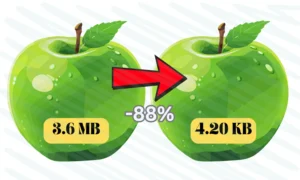
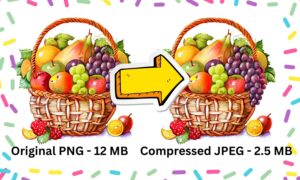
Today, images dominate online content, making up over 40% of a typical webpage’s size. While visuals are essential for engagement, unoptimized images can significantly slow down your website, increase bounce rates, and even harm your search engine rankings. This is where image compression becomes crucial. Image compression reduces file sizes while maintaining visual quality, using either lossy methods (which remove some data) or lossless techniques (which repackage data more efficiently). Understanding and implementing proper compression is no longer optional—it’s a necessity for anyone managing digital content.

The importance of image compression extends across multiple areas of digital performance. Website speed directly impacts user experience and business success, with studies showing that even a 100-millisecond delay can reduce conversions. Search engines like Google prioritize fast-loading sites in their rankings, making compression a key factor for SEO. Additionally, with mobile devices accounting for most web traffic, optimized images ensure faster loading times and reduced data usage, which is particularly important for users in areas with slower internet connections.
When it comes to practical implementation, choosing the right image format is the first step. JPEG remains ideal for photographs, while PNG is better suited for graphics requiring transparency. Modern formats like WebP and AVIF offer superior compression rates, often reducing file sizes by 25-50% compared to traditional formats. Beyond format selection, proper optimization involves resizing images to their display dimensions, adjusting quality settings, and implementing advanced techniques like lazy loading and responsive images. Automated tools and plugins can streamline this process, making it easier to maintain optimized images across your site.
However, there are common pitfalls to avoid. Over-compressing critical images can degrade quality, while using the wrong format (like PNG for photos) unnecessarily inflates file sizes. Ignoring modern formats means missing out on significant performance gains, and failing to remove metadata adds extra weight to files. As technology evolves, new compression methods like JPEG XL and AI-powered optimization are pushing the boundaries of what’s possible, offering even better efficiency without sacrificing quality.
Ultimately, image compression is more than just a technical detail—it’s a vital component of web performance, user experience, and digital strategy. By auditing your current images, adopting the right tools, and staying updated on emerging formats, you can ensure your site remains fast, efficient, and competitive. Start optimizing today with free tools like Squoosh or TinyPNG, and consider automated solutions for ongoing maintenance. In an era where every millisecond counts, proper image compression is an investment that pays dividends in speed, engagement, and search visibility.
Would you like recommendations for specific compression tools tailored to your platform or needs? Let us know in the comments!
Recent Post