Image Optimization for E-commerce: Faster Loading, Higher Sales
In the competitive world of e-commerce, where customers make snap decisions, image optimization plays a crucial role in driving sales. Research shows that 53% of mobile users will leave a website if it takes more than three seconds to load, and since product images often account for most of a page’s weight, optimizing them is essential for speed, user experience, and conversions. Poorly optimized images slow down your site, hurt your search rankings, and can even cause shoppers to abandon their carts.
Why Image Optimization Boosts E-Commerce Performance

Faster-loading product pages lead to better user engagement and higher conversion rates. A one-second delay in page load time can reduce conversions by 7%, making image optimization a key factor in revenue growth. Additionally, Google’s Core Web Vitals prioritize page speed as a ranking factor, meaning optimized images help your store rank higher in search results. High-quality, fast-loading images also improve the shopping experience, reducing bounce rates and keeping potential buyers engaged.
Choosing the Right File Format
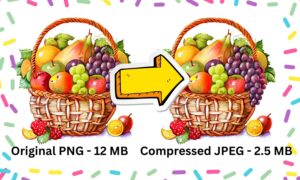
Selecting the best file format is the first step in optimizing e-commerce images. WebP is the most efficient format, offering 30% smaller file sizes than JPEG while maintaining quality. It also supports transparency, making it ideal for product images. However, since some older browsers don’t support WebP, providing a JPEG fallback ensures compatibility. JPEG remains a solid choice for high-quality product photos, while PNG is best for graphics requiring transparency, such as logos.
Best Practices for Optimizing Product Images
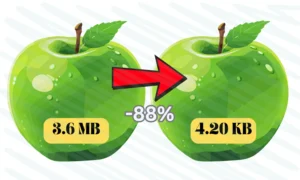
Before uploading images, resize them to the exact dimensions needed on your site to avoid unnecessary scaling. Compression is another critical step—tools like TinyPNG and Squoosh can reduce file sizes without noticeable quality loss. Implementing lazy loading ensures images only load as users scroll, improving initial page speed. Additionally, using descriptive file names and alt text (e.g., “black-leather-wallet-mens.jpg” instead of “IMG_1234.jpg”) enhances SEO and accessibility.
Leveraging a CDN for Faster Delivery
A Content Delivery Network (CDN) like Cloudflare or Shopify’s built-in CDN stores copies of your images on servers worldwide, reducing load times for international customers. Combining a CDN with automated image optimization tools, such as ImageKit or ShortPixel, ensures your store delivers the fastest, most efficient version of each image.
Real-World Impact of Image Optimization
One online fashion retailer saw dramatic improvements after optimizing their images. By switching to WebP, enabling lazy loading, and using a CDN, their average page load time dropped from 5.2 seconds to 1.9 seconds. As a result, their conversion rate jumped from 1.8% to 3.1%—a 72% increase in sales.
Final Thoughts
Image optimization is not just a technical task—it’s a sales strategy. By using modern formats like WebP, compressing images effectively, and leveraging CDNs, e-commerce stores can significantly improve load times, enhance user experience, and boost conversions. Start by auditing your site with Google PageSpeed Insights and implement these best practices to see measurable results
Recent Post